What you are building.
A fixed wing is a compromise. Set it up for grip through a corner and it holds you back on the straight; set it up for a low-drag top speed and it gives you very little when you need the rear planted. This one does not pick. An accelerometer on the wing reads longitudinal acceleration and drives a servo to one of three angles.
Under throttle. The wing lies almost flat so it is barely fighting the air. The least drag of the three.
Holding a steady speed. A small angle buys real grip for almost no drag. The efficient one, and where the car spends most of its life.
Under braking. The wing stands up into the air and becomes a brake: downforce to plant the car, drag to help slow it.
Those figures are from CFD at a 30 mph inlet, so treat them as the shape of the behaviour rather than what your car will feel. The useful comparison is between them: going from neutral to cruise multiplies downforce roughly tenfold for under a newton of extra drag, and that is the whole argument for a cambered section that works at a shallow angle instead of a flat plate you have to tip into the wind.
Before you start.
None of this is difficult on its own. It is a printed part, a hobby servo and about forty lines of Arduino. The work is in getting the geometry right and being honest about the mounting.
- CAD you can loft in. Fusion 360 was used here. Any parametric package works.
- An FDM printer. Anything with a bed around 200 mm. The wing is printed in sections precisely so the bed size stops mattering.
- Soldering, at a basic level. A few dupont joints and a barrel jack.
- Enough Arduino to upload a sketch and read the serial monitor. The firmware is given in full below.
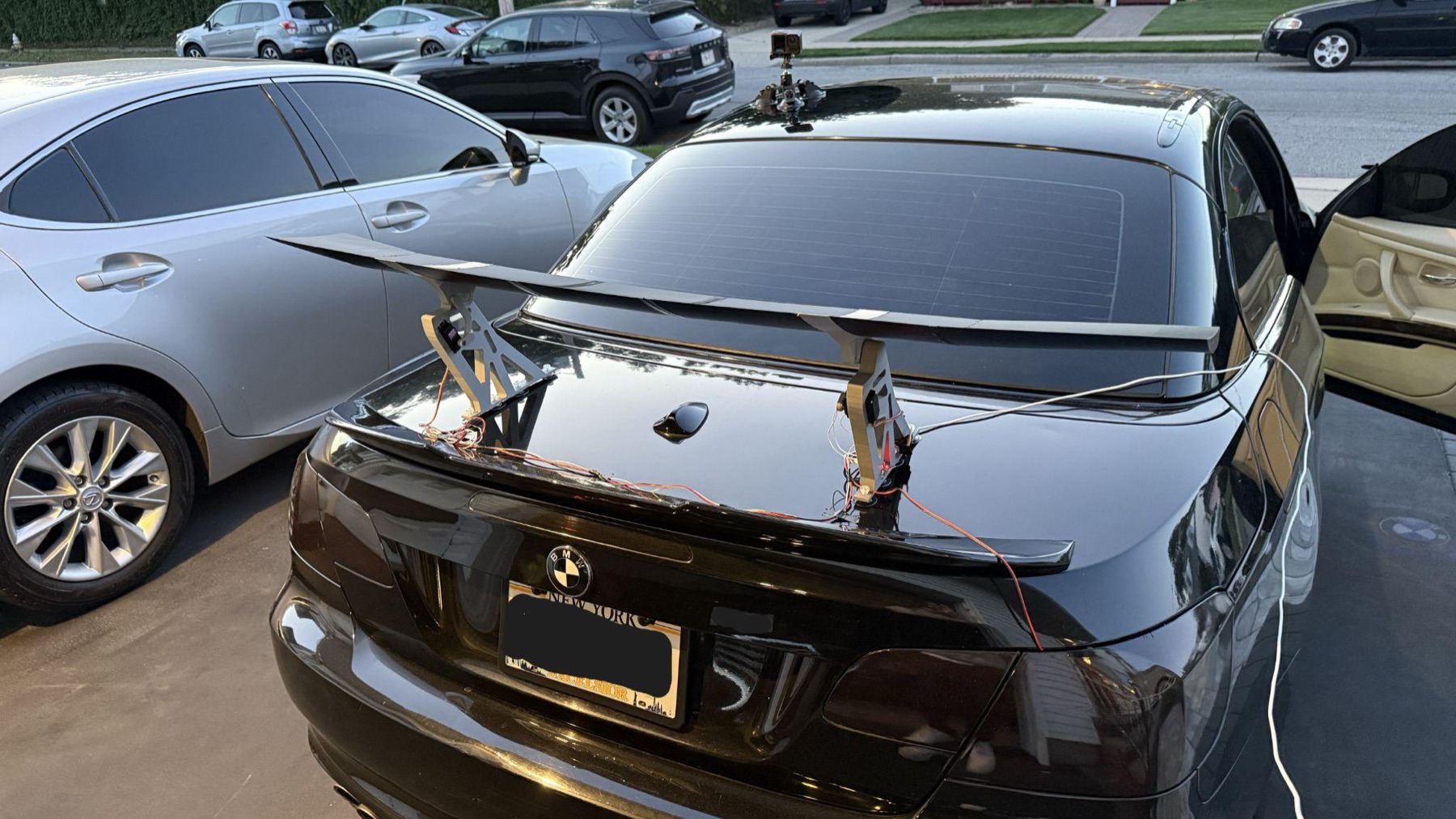
Mine ran on suction cups, which is the right call for testing because it leaves the car untouched and comes off in seconds. It is not the right call for sustained speed. A wing of this size makes real force, and the report's own conclusion is that a future version should fasten to the trunk lid or lip properly. Decide how it is held on before you decide how fast to go with it, keep early testing to low speeds on a road you know, and check the mount every single time.
The parts.
You do not have to draw any of this. Every printable part is here, ready to slice. Download the lot, or pick off the ones you need.
Download every part One archive, 12 STLs and a parts list: every wing section, both tips, the brackets, the trunk mounts, the arms, the dowels and a whole-wing reference model. About 210 KB.200 mm of constant-profile centre span each. Four of these plus the edge piece below make up the 900 mm middle of the wing.
wing-centre-200mm.stl112 mm, same profile. This is the short one that closes the centre run so the span lands on 1,400 mm rather than overshooting it.
wing-centre-edge-112mm.stl250 mm, lofted from the centre profile at its inboard end to a higher-angle one at the tip, with the endplate built in.
wing-tip-left.stlThe other end, 247 mm. Print one of each rather than two of the same hand, which is the easiest hour on this build to lose.
wing-tip-right.stlThe upright that carries the wing: servo pocket, hinge bore and the recesses the electronics sit in. 200 mm tall.
mounting-bracket.stlThe base the bracket stands on, shaped to meet the trunk lid. This is what the suction cups attach to.
trunk-mount.stlThe small arm that goes on the servo output. Print one and check the fit on the spline before you commit to the second.
servo-arm.stlLinks the servo arm to the wing. This is the part that broke on the first build, so print it in CF-PLA and read the last section before you fit it.
connecting-arm.stl10 mm diameter, 60 mm long. One per seam, and there are six seams across the span. Print them or buy them, whichever you trust more.
dowel-pin.stlAll 1,400 mm in one piece. No consumer bed will take it. It is here so you can check fit, orientation and how the sections are meant to sit together.
wing-assembly-reference.stlFour 200 mm sections, one 112 mm edge piece and the two tips come to 1,409 mm of parts, which closes to 1,400 mm once the dowelled joints pull together. Their combined solid volume is within 0.6% of the one-piece reference model, so nothing is missing from the set.
These files are here so you can build one for yourself. Please do not re-upload them anywhere, and do not sell them or anything printed from them. If someone wants a set, send them to this page rather than the files, so they arrive with the instructions and the safety notes attached. The full terms are on the usage page, and they include the bit about there being no warranty on any of this.
Print them.
Nothing here needs an exotic printer. The wing is split into 200 mm sections precisely so bed size stops being the problem.
Low infill with three walls is the important pairing. On parts like these the shell carries the load, so walls buy you stiffness where infill would only add mass in the middle where it does least. Turning infill up will not make the wing meaningfully stronger; adding a wall will.
| Part | Orientation | Supports | Notes |
|---|---|---|---|
| Wing centre section | Chord flat on the bed, span running left to right | None | Gives the cleanest upper and lower surfaces, which is the whole point of the section, and puts the dowel bores horizontal so they print round. 200 x 200 mm footprint, so check it clears your bed before you start four of them. |
| Centre edge piece | Same as the centre sections | None | Only one of these. It is the shortest piece in the wing at 112 mm. |
| Wing tip, left and right | Same as the centre sections | None | These are separate files, not one mirrored twice. Print wing-tip-left and wing-tip-right, one of each. |
| Mounting bracket | On its back face, upright | Only under the servo pocket if your printer needs them | 200 mm tall, the tallest part in the set. Layer lines running up the bracket put the load across them rather than along them, which is what you want. |
| Trunk mount | Largest flat face down | Under any overhang where it curves to meet the lid | The biggest footprint here at 243 x 215 mm. Worth a test slice before you commit six hours to it. |
| Servo arm | Flat, spline bore vertical | None | Print one and test the fit on the spline before you commit to the second. It should need a firm push, not a hammer. |
| Connecting arm | Flat, longest dimension along the bed | None | CF-PLA, and 4 walls rather than 3. This is the part that fractured on the original build. It is small, it is quick, and it is worth the better filament. |
| Dowel pin | Standing on end | None | 10 mm by 60 mm. Six of them. Print at 100% infill, or use bought pins, which will be rounder than anything an FDM machine gives you. |
Before you commit to a whole wing, print a single 200 mm centre section and check two things: that the dowel bores take a 10 mm pin without forcing, and that the surface finish is something you are happy to have on the car. Tune once, then run the rest.
What you need.
Everything here was chosen for a reason, and the reason matters more than the part number. Where a substitution is safe, the note says so.
| Part | Spec | Qty | Why this one |
|---|---|---|---|
| Arduino Nano | ATmega328P, 5 V logic | 1 | Hardware I²C on A4/A5 and PWM, at 5 V, so it talks to both the sensor and the servos with no level shifting. An ESP32 has more of everything, but a single-axis loop with two inputs and one output does not need it, and fewer parts is fewer things that fail. |
| GY-521 breakout (MPU-6050) | 3-axis accelerometer + gyro, I²C | 1 | The breakout rather than the bare chip: it carries its own 3.3 V regulator, I²C pull-ups and decoupling, which removes several discrete parts from the circuit. Only one axis is used, but the other five are there for later. |
| DS3218 servo | 20 kg·cm at 6 V, metal gears, 270° | 2 | Metal gears are not optional. Aerodynamic hinge moment rises with the square of speed, and at highway pace a wing this size will strip or back-drive the plastic gears in something like an SG90, which is rated at 1.8 kg·cm. |
| LM2596 buck converter | 4–40 V in, adjustable, LED readout | 1 | Switching, not linear. A 7805 dropping 12 V to 5 V burns the whole differential as heat: about 3.5 W at half an amp, inside a sealed enclosure. The LM2596 runs 77–92% efficient. Get the version with the voltage display, it saves you a multimeter during setup. |
| 12 V jump-start pack | Portable, high capacity | 1 | Low internal resistance, so it holds voltage when a loaded servo pulls current. Alkaline packs sag badly under that transient and reset the microcontroller. |
| Electrolytic capacitor | 100 µF | 1 | Across the buck output. Bulk storage for the current surge when a servo moves, so the 5 V rail does not dip and reset the Nano. |
| Ceramic capacitor | 100 nF | 1 | Across the Nano's VIN and GND. Its low ESR catches the megahertz switching noise off the servo motors that the electrolytic cannot. |
| PLA filament | Structural parts | — | Dimensionally stable and stiff enough at these speeds. CF-PLA is worth it for the connecting arm specifically, for reasons the last section gets into. |
| Dowel pins | 10 mm diameter | several | One diameter throughout, so a single bore size covers every joint and there is nothing to mix up. |
| M3 heat-set inserts + screws | Brass inserts | a handful | Moulded into the endplates and brackets so nothing needs a nut on the back face. You will take this apart more than once. |
| Barrel jack + wire | Panel or inline | 1 | So the battery disconnects without disturbing the loom. |
| Mounting base | Suction cups to start | 2 | Non-destructive and fits any trunk. See the warning above about what it is actually good for. |
Swipe the table sideways for the rest of the columns.
Tools: a soldering iron (it does double duty for both the electrical work and for plastic-welding the wing seams), a heat-set insert tip, hex keys, and a laptop for the serial monitor during calibration.
Why the wing is this shape.
You do not need any of this to build one. It is here because knowing why a part looks the way it does is what lets you change it safely later.
The section is cambered, and mounted inverted. Right way up a cambered airfoil makes lift; upside down the same pressure difference works downward. It was then modified from stock: more curvature on the upper surface so the flow accelerates over it and static pressure drops, and a flatter lower surface to hold a higher-pressure region underneath. That asymmetry is the downforce. Chord is 190 mm, with 30 mm of drop from the leading edge down to the trailing edge.
A symmetric profile like a NACA 0012 makes nothing at zero angle of attack. Every newton of cruise downforce would have to be bought with servo angle, which means the actuator holds a load for most of the drive. A cambered inverted section makes downforce passively at neutral incidence, so the servo mostly rests.
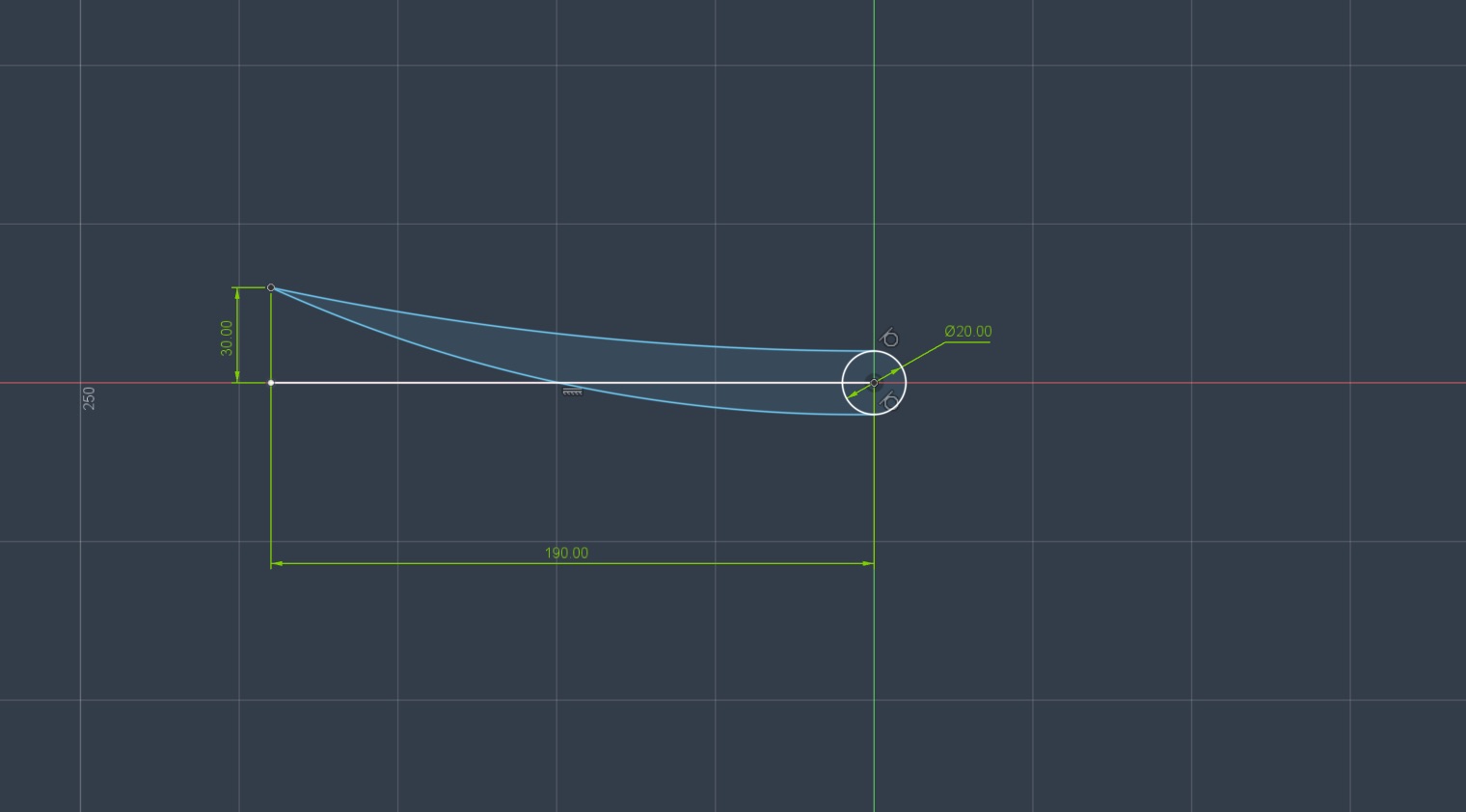
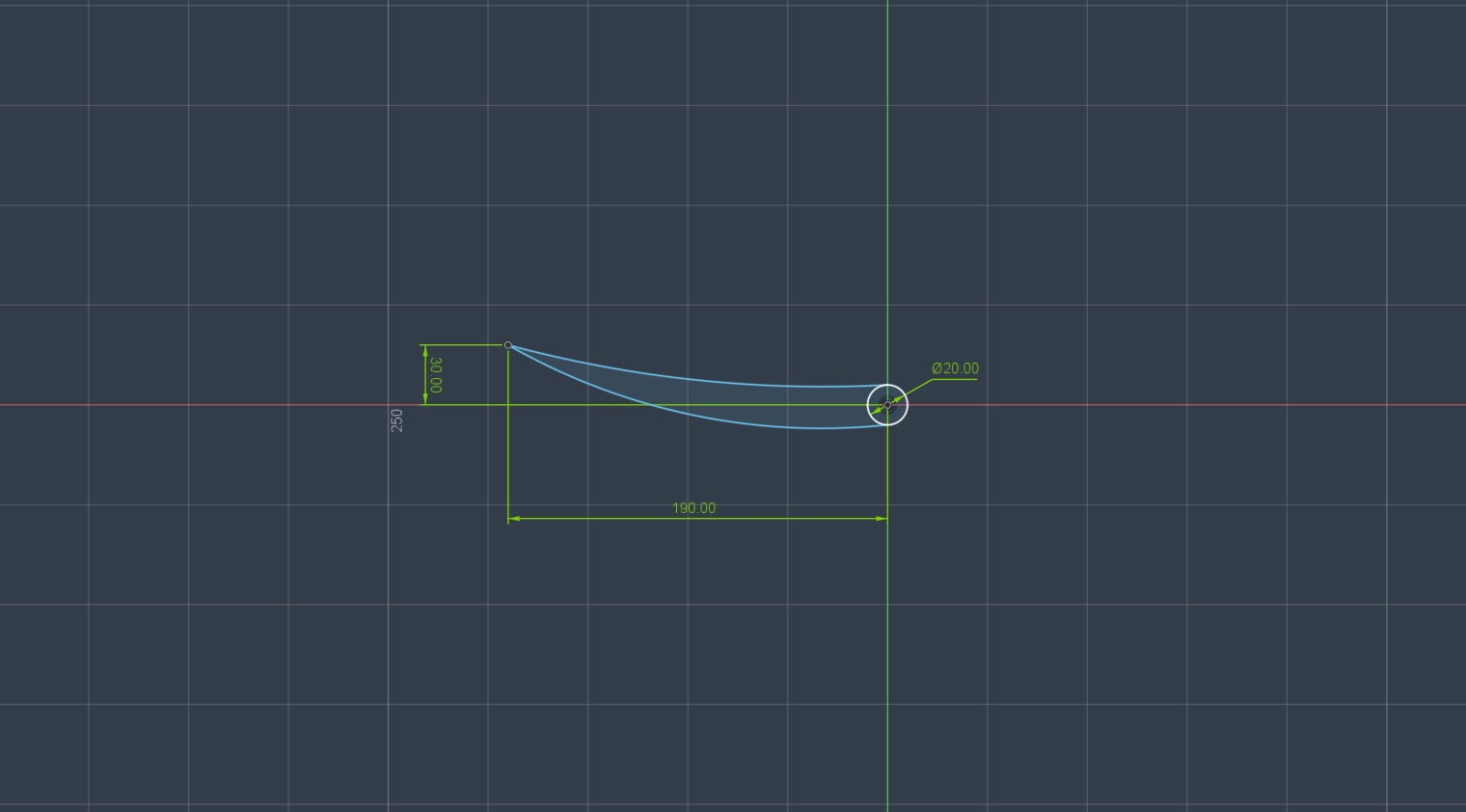
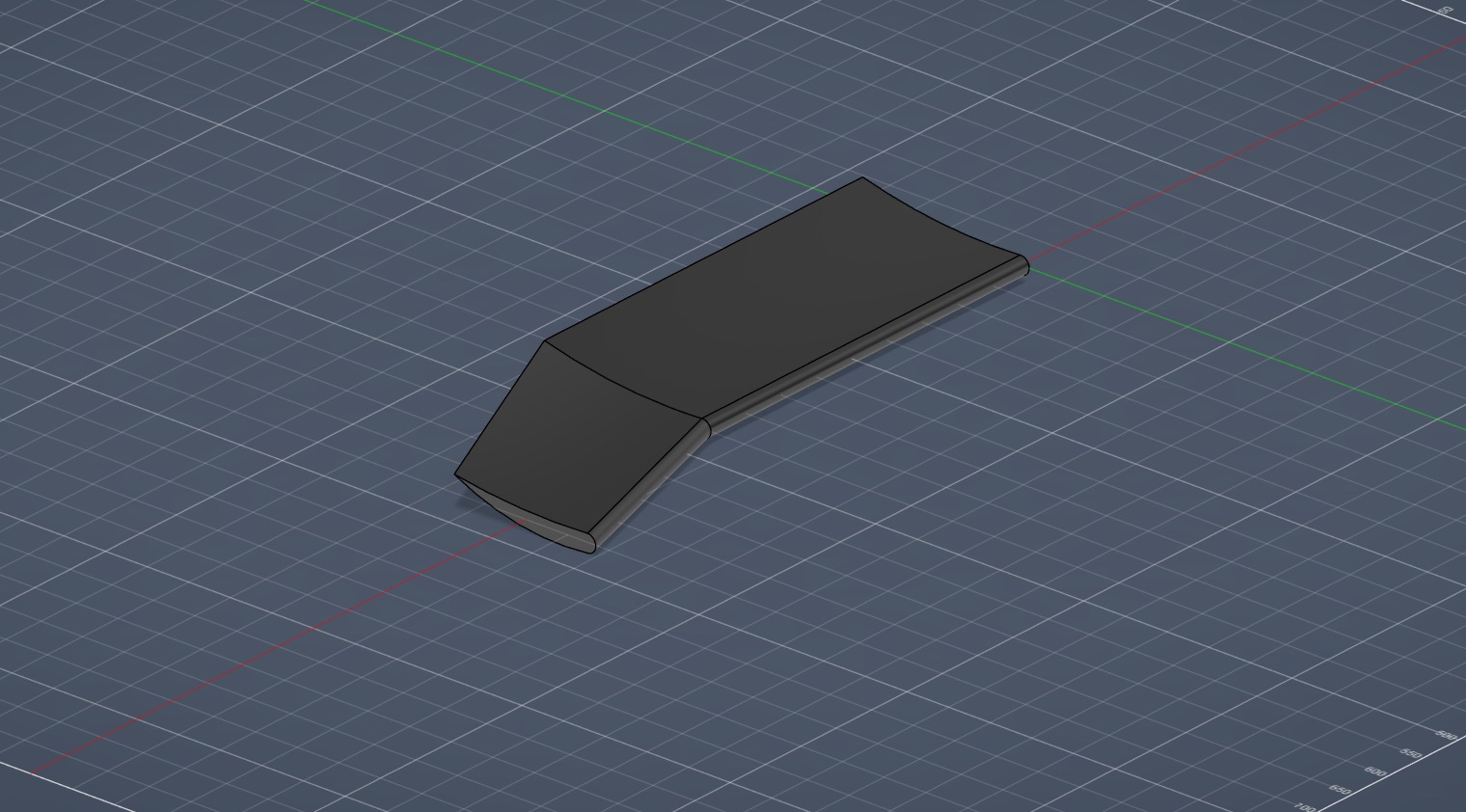
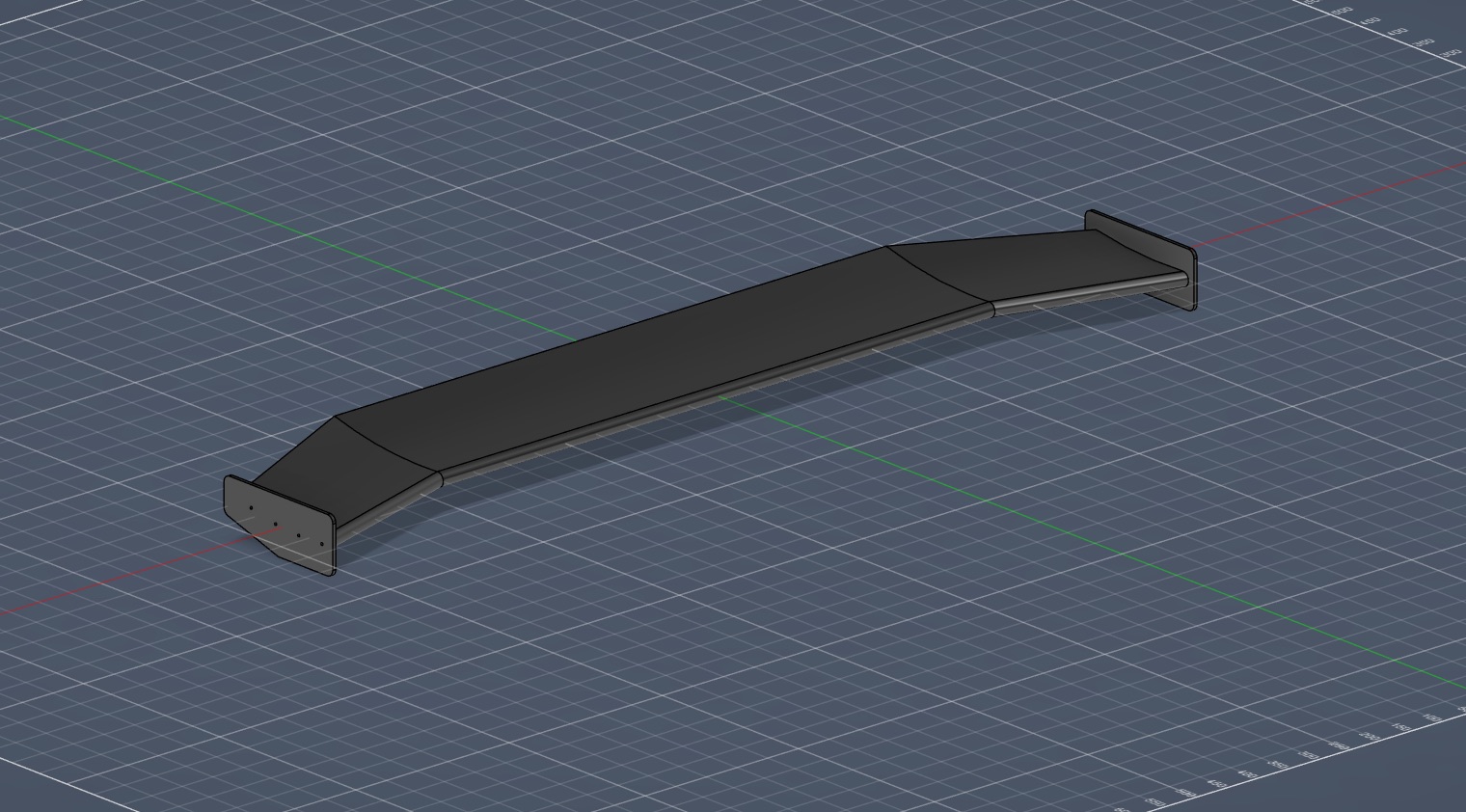
The span is 1,400 mm in three pieces. A 900 mm centre at a constant profile does most of the work. The two 250 mm outboard pieces are lofted rather than extruded: the inboard end matches the centre profile exactly, the outboard end is a higher-angle version of it. That puts more downforce toward the tips and spreads load better across the span, with no hard geometric break for the flow to trip over.
The endplates do two jobs. A wingtip leaks, with high-pressure air curling around the end to the low-pressure side; that leak is induced drag and it eats the effective lift coefficient. A vertical plate blocks the path. They are also the structural mounting face, with M3 heat-set pockets moulded in so screws thread straight in and nothing needs a nut behind it.
Step 1. Assemble the wing.
Sections out of the printer, one wing at the end of it. Before that, a word on the route not taken, because it explains why the parts are shaped for printing in the first place.
Hot-wire cutting is only as good as the hand guiding it, and any deviation propagates through every slice in the stack. Fairing foam down to a CAD-defined profile is slow with no guaranteed dimensional accuracy, and lamination adds its own variables on top. Printing gives you the CAD geometry every time, and features that would be miserable to build into a foam core — hinge bores, dowel holes, insert pockets, servo mounting geometry — are simply part of the part. You pay for that in mass. It is worth it.
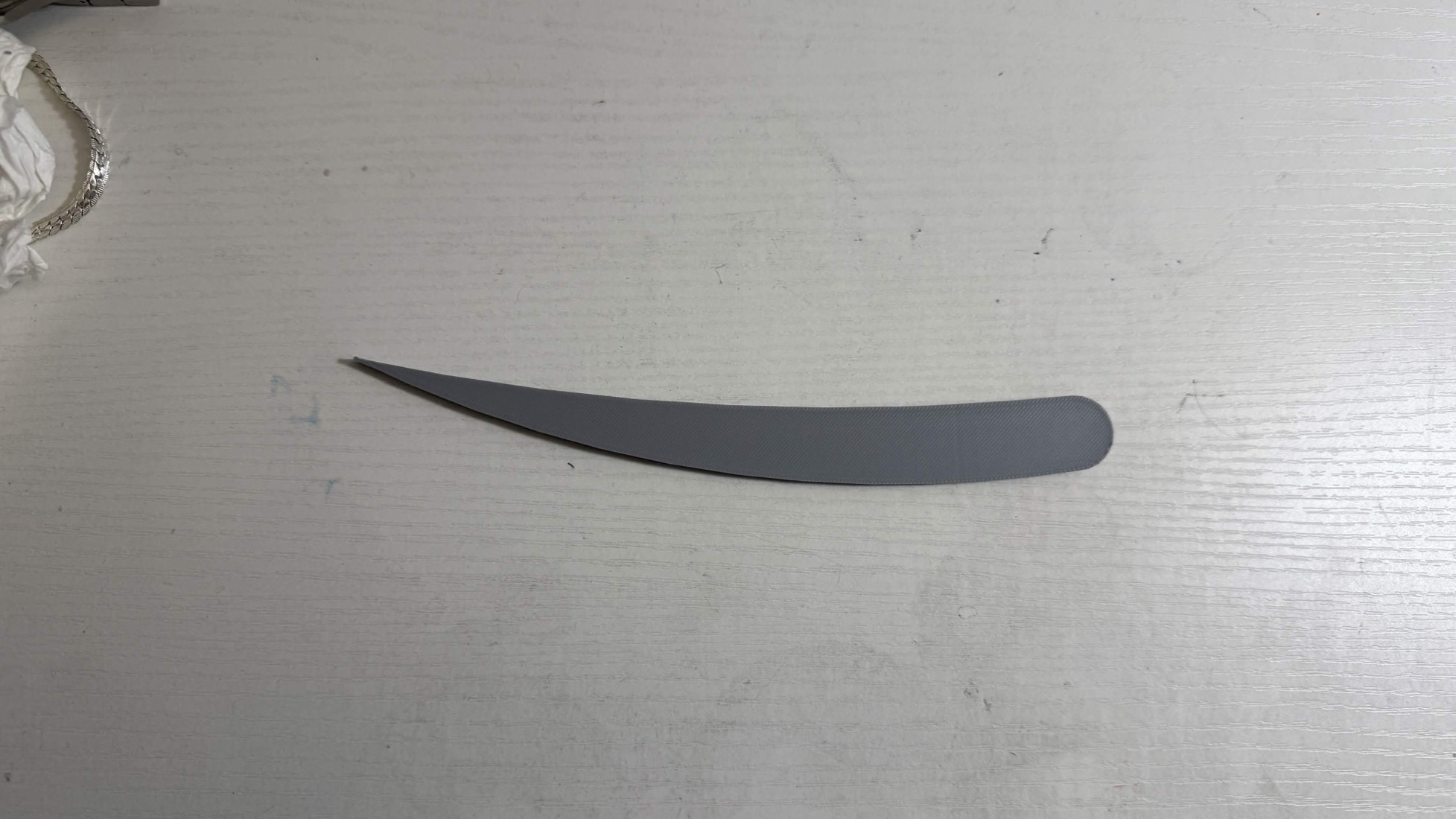
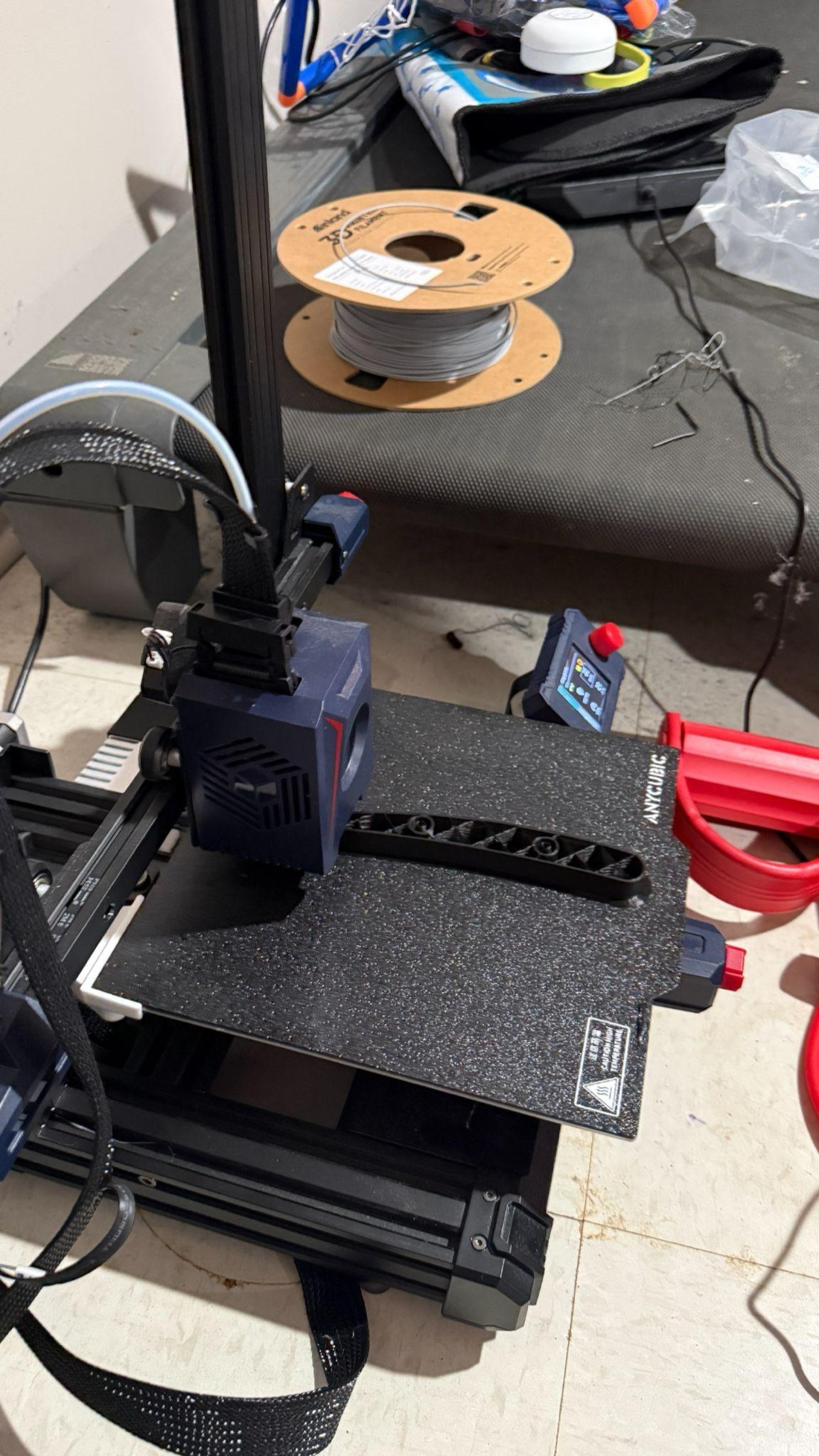
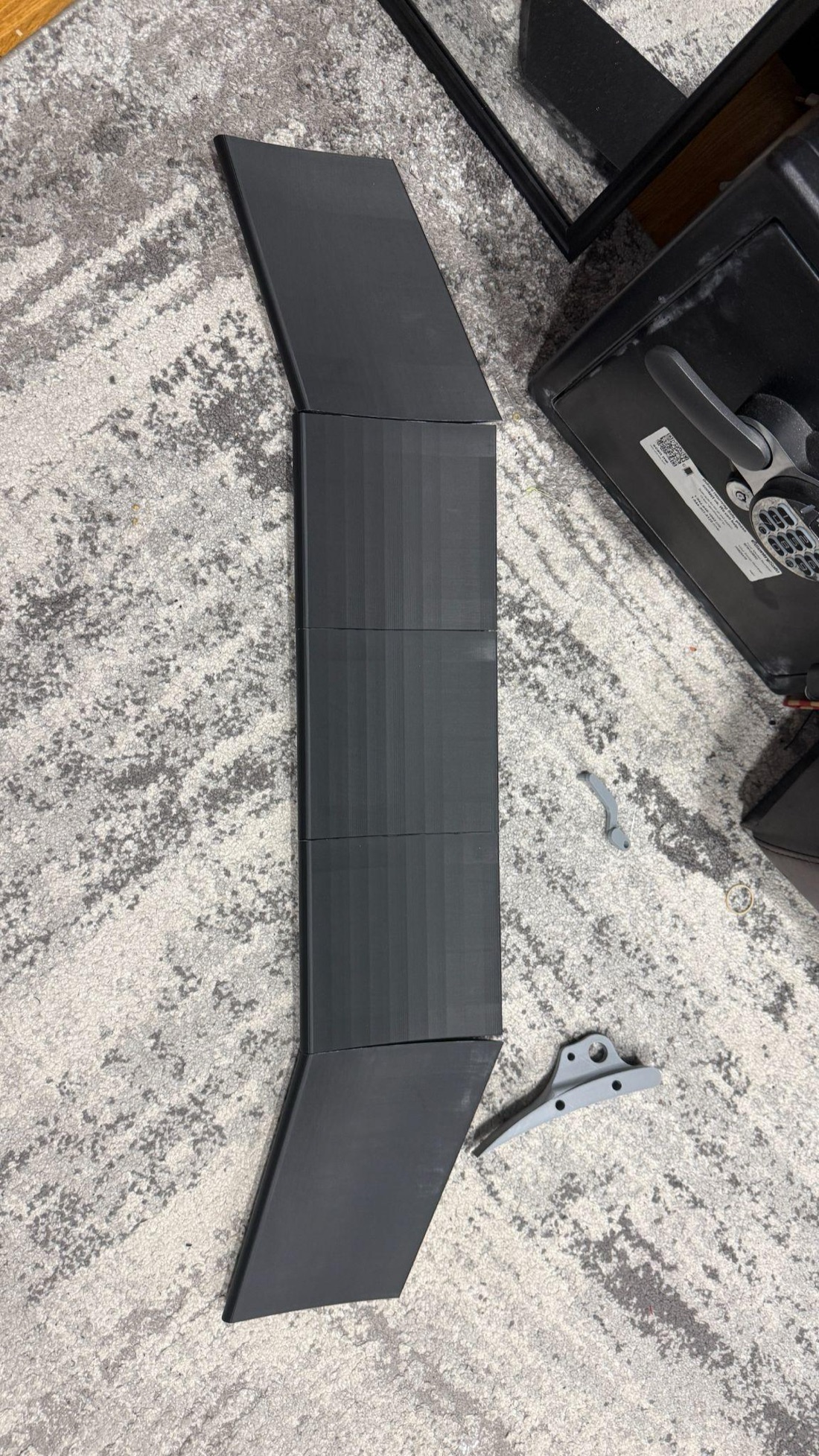
Bore a 10 mm dowel hole into each mating face and pin the sections together. The dowels do two jobs: they hold spanwise alignment so the profile stays continuous across the joint, and they carry shear across it so the wing behaves as one structural element instead of a row of separately loaded segments.
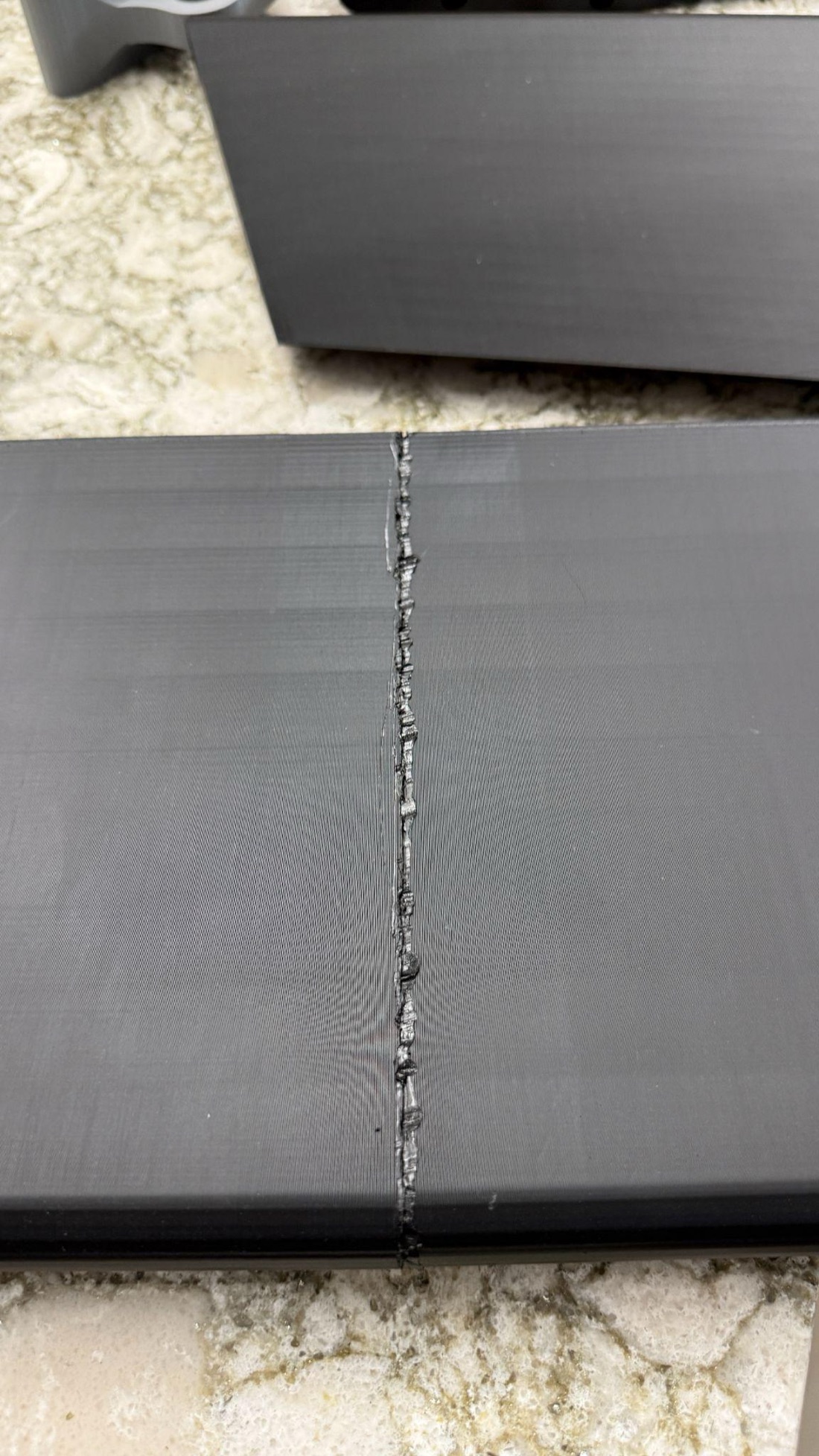
Then fuse the joints. Run a soldering iron tip along each external seam so the PLA melts and intermixes across the joint face. Dowels handle alignment and shear; the weld gives you continuous rigidity along the bond line so nothing can shift under load. Do this on the seams between the 200 mm centre modules and at the junction with the angled outboard sections.
Dowels alone leave a pinned multi-body assembly that can move slightly under aerodynamic load. The weld turns it into one part. Mechanical alignment plus thermal joining is the standard answer for FDM assemblies that need both positional accuracy and structural continuity.
Step 2. Make it move.
The fewer parts between the servo shaft and the wing, the less slop there is to fight. This is a direct drive with nothing in between.
Model a pocket in the support bracket that the DS3218 drops into flush, and fix it through its mounting ears with M3 screws into heat-set inserts in the bracket body. Line the servo output shaft up with the wing's hinge axis. If those two are coaxial there is no linkage to design.
Do not use the horn in the box. Generic horns on third-party splines have angular play, and any play at the horn is multiplied out at the wing tip. Model a horn around the actual spline geometry of your servo so it goes on with zero slop.
A pushrod linkage is easier to package, but a slender rod resisting the hinge moment is a buckling risk exactly when you least want one: in the airbrake position, at maximum aerodynamic load. Direct drive has nothing to buckle.
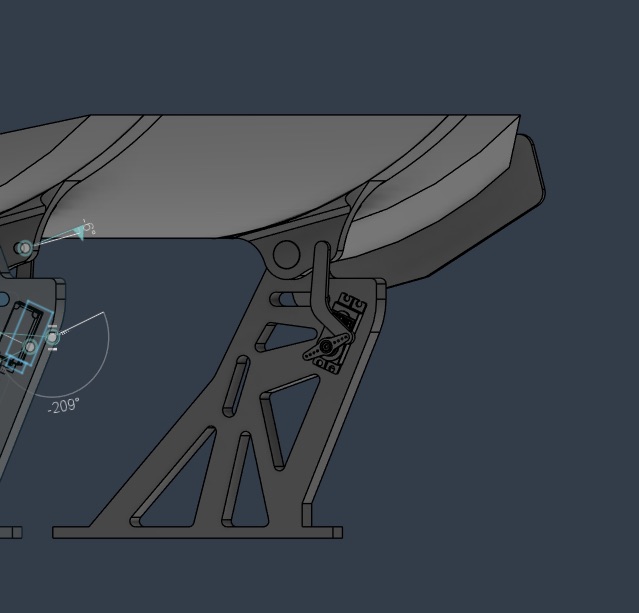
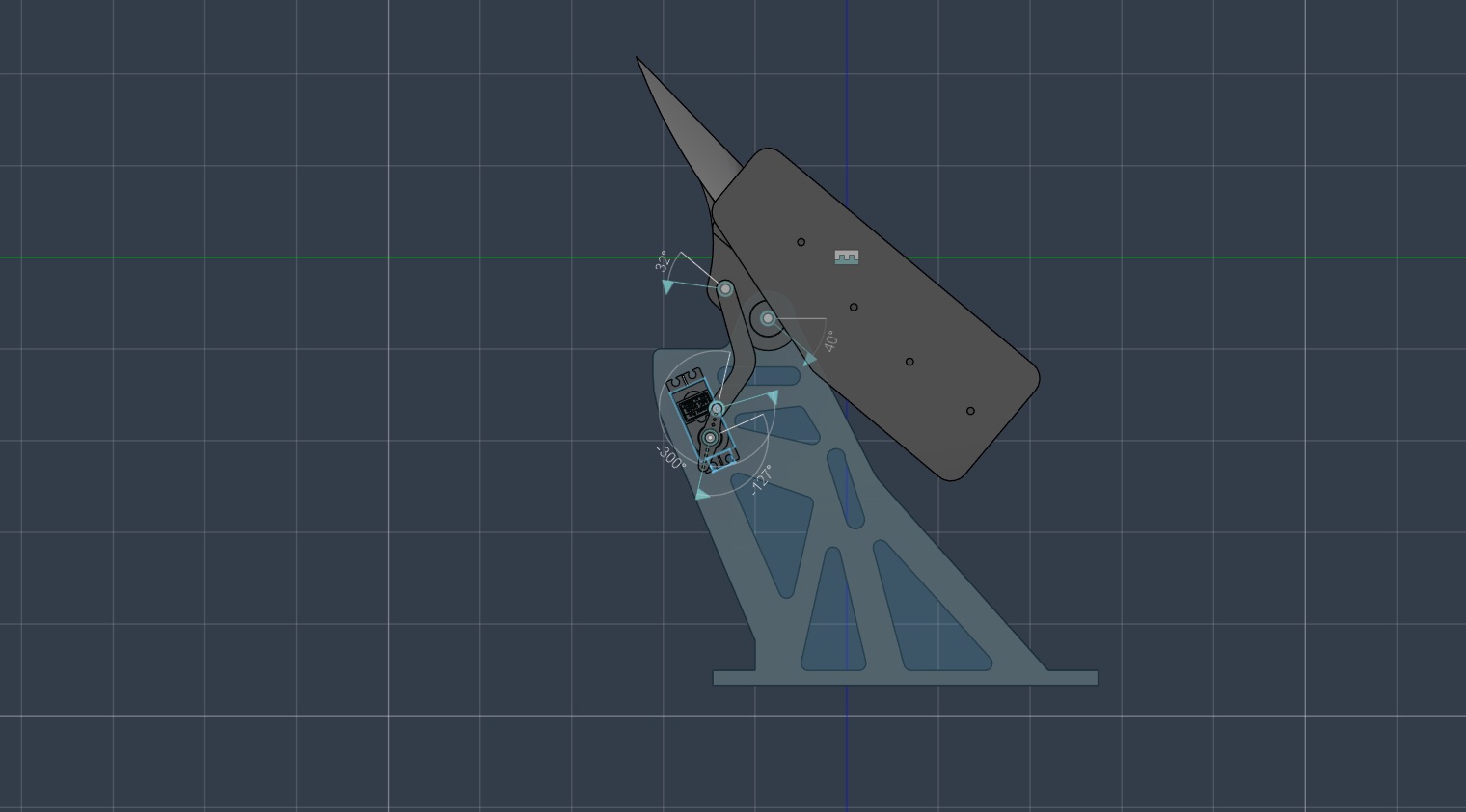
There is one servo at each end, and they face opposite directions. They therefore need supplementary angles: whatever you send to one, send 180 − pos to the other, or they will fight each other across the hinge. The firmware below does this in a single function so you can never forget it.
Step 3. Wire it.
Five components and a shared ground. The only part with a trap in it is where the servo power comes from.
A loaded DS3218 can pull over an amp while it moves. The Nano's onboard regulator is not rated for that, and it shares a pass element with the board's own logic supply, so a servo transient can brown out the microcontroller.
Feed both servos straight from the LM2596's 5 V output, bypassing the Nano's regulator entirely. The Nano and the sensor run from the same 5 V rail, with the MPU-6050 drawing from the Nano's regulated 5 V pin, which is fine because its draw is tiny. Everything shares a common ground: I²C will not work reliably without it, and neither will the servo signal reference.
100 µF electrolytic across the buck output, for bulk storage that absorbs the current surge when a servo starts moving so the rail does not sag. 100 nF ceramic across the Nano's VIN and GND, for the high-frequency switching noise off the servo motors. The electrolytic's ESR is too high to catch that; the ceramic's is low enough.
The GY-521 breakout already carries its own decoupling, so the I²C lines need nothing added.
Use a barrel jack for the battery so the pack can come off without disturbing anything else. Route the loom through the bracket's own lattice and zip-tie it at intervals, so nothing moves under vibration.
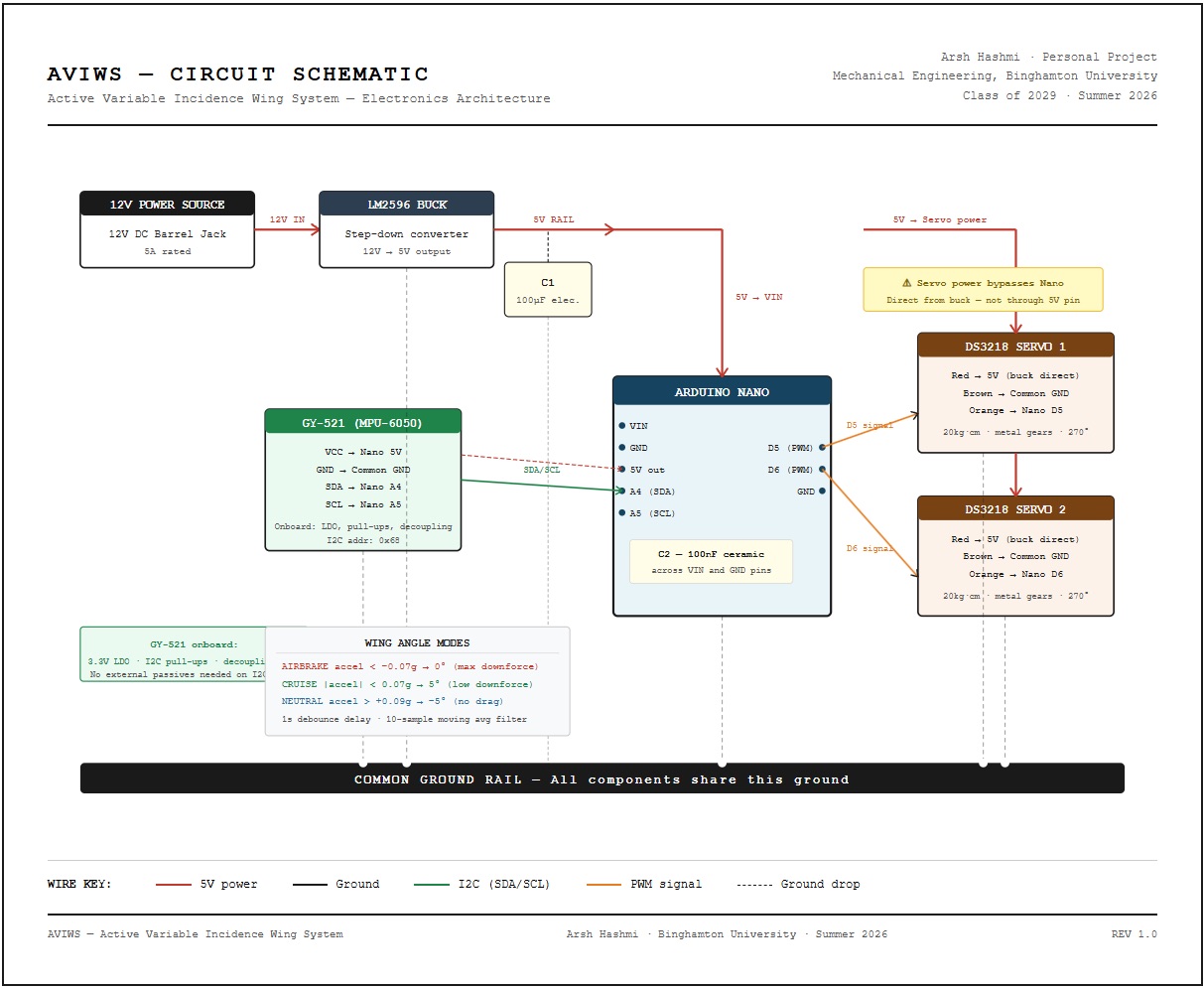
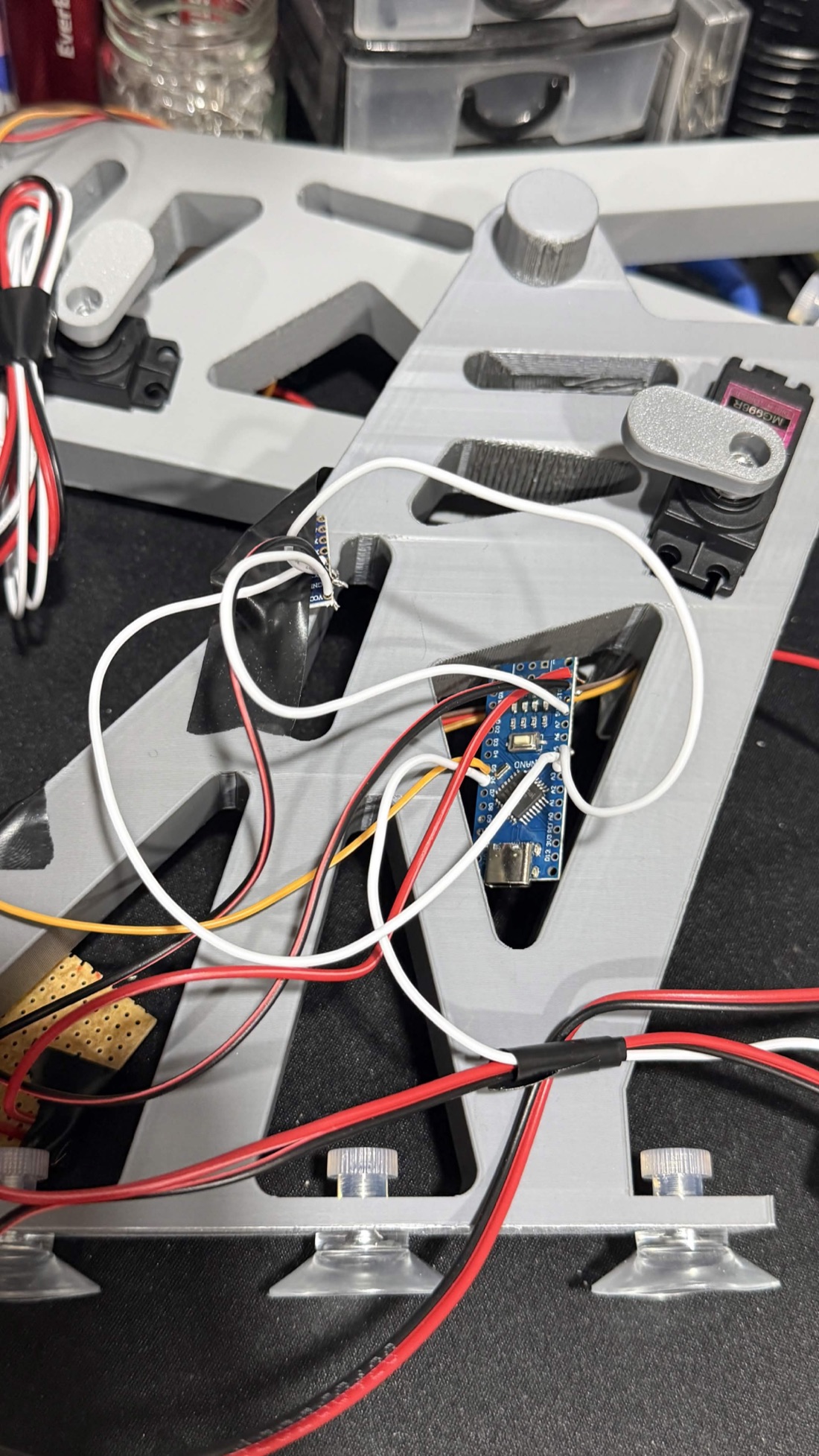
The sensor needs to sit as level as you can get it, with its X axis pointing along the direction of travel. Any tilt bleeds gravity into the longitudinal reading, which is exactly the signal the whole system runs on. Fasten it through its mounting holes with M3, then add tape or a zip tie: it has to hold position under vibration and aerodynamic buffeting, not just sit there.
Step 4. The firmware.
Three states, not a continuous curve. The wing lives at three defined angles, so a threshold comparison is enough and it is far more robust against sensor noise than a proportional loop would be. Everything interesting is what wraps around that comparison.
You need three libraries: Servo.h and Wire.h ship with the Arduino IDE, and MPU6050.h is the Electronic Cats library, installed through the Library Manager.
Pull the raw 16-bit accelerometer value over I²C and divide by 16,384 to get gravities, which is the scale factor for the sensor's default ±2 g range. Then two corrections:
- Subtract a fixed offset. Mine was 0.07 g, which is gravity bleeding into the longitudinal axis because the sensor is not mounted perfectly level. Yours will be different. You measure it in the bench tests.
- Average the last ten samples. A rolling buffer, replacing the oldest reading each pass. Raw MEMS output in a car is full of engine vibration, road input and the wing's own buffeting, and without this you get threshold crossings that are noise rather than driving.
Above +0.09 g go to neutral; below −0.07 g go to airbrake; anything between is cruise. The important part is what happens next: a new mode has to hold for a full second before it is executed.
Without it the wing chases every pothole, gear change and throttle twitch, and earlier versions of this firmware hunted between positions constantly. A one-second gate on millis() costs you nothing you would notice while driving and removes the problem completely. The loop keeps polling at full rate during the wait, it just does not act.
The loop runs on a 50 ms delay, a 20 Hz update rate. That is far faster than it needs to be, since aerodynamic loads on a road car change over hundreds of milliseconds, but it costs nothing and the debounce is what actually sets the response time.
#include <Servo.h>
#include <Wire.h>
#include <MPU6050.h>

Servo servo1; Servo servo2;
MPU6050 mpu;

// Wing positions, in servo units. Calibrate these yourself, see below.
#define POS_NEUTRAL   110   // under acceleration
#define POS_CRUISE     65   // steady speed
#define POS_AIRBRAKE    0   // under braking

// Thresholds, in g, applied after the offset below
#define ACCEL_THRESHOLD  0.09
#define BRAKE_THRESHOLD -0.07

// Your mounting offset. Measure it, do not copy mine.
#define OFFSET         0.07
#define FILTER_SIZE      10   // rolling average window
#define CHANGE_DELAY   1000   // debounce, ms

float readings[FILTER_SIZE];
int filterIndex = 0;
float filterSum = 0;
unsigned long lastChangeTime = 0;
int currentPosition = POS_CRUISE;
int targetPosition  = POS_CRUISE;

void setWingPosition(int pos) {
  // The servos are mirrored across the hinge, so they take
  // supplementary angles or they fight each other.
  servo1.write(pos);
  servo2.write(180 - pos);
  currentPosition = pos;
}

float getFilteredAccel() {
  int16_t ax, ay, az, gx, gy, gz;
  mpu.getMotion6(&ax, &ay, &az, &gx, &gy, &gz);
  float accelG = (ax / 16384.0) - OFFSET;
  filterSum -= readings[filterIndex];
  readings[filterIndex] = accelG;
  filterSum += readings[filterIndex];
  filterIndex = (filterIndex + 1) % FILTER_SIZE;
  return filterSum / FILTER_SIZE;
}

void setup() {
  servo1.attach(5);
  servo2.attach(6);
  Serial.begin(9600);
  Wire.begin();
  mpu.initialize();
  Serial.println(mpu.testConnection() ? "MPU6050 connected"
                                      : "MPU6050 connection failed");
  for (int i = 0; i < FILTER_SIZE; i++) readings[i] = 0;
  setWingPosition(POS_CRUISE);
  Serial.println("Wing starting at cruise position");
}

void loop() {
  float accel = getFilteredAccel();
  Serial.print("Accel: "); Serial.print(accel); Serial.print("g -> ");

  if (accel > ACCEL_THRESHOLD) {
    Serial.println("NEUTRAL (accelerating)");
    targetPosition = POS_NEUTRAL;
  } else if (accel < BRAKE_THRESHOLD) {
    Serial.println("AIRBRAKE (braking)");
    targetPosition = POS_AIRBRAKE;
  } else {
    Serial.println("CRUISE");
    targetPosition = POS_CRUISE;
  }

  // Only commit once the new mode has held for CHANGE_DELAY.
  if (targetPosition != currentPosition) {
    if (millis() - lastChangeTime >= CHANGE_DELAY) {
      setWingPosition(targetPosition);
      lastChangeTime = millis();
    }
  } else {
    lastChangeTime = millis();
  }

  delay(50);   // 20 Hz
}The three POS_ values are servo units, not degrees, and they were found empirically on my hardware. Your servo horn will be clocked differently and your hinge geometry will differ, so those numbers will put your wing somewhere else entirely. The calibration step below is how you find your own.
Step 5. Bench test, before it goes near the car.
Everything here is checkable on a desk with the Nano on USB and the 12 V pack feeding the buck. Do all of it.
- I²C scan first. Confirm the MPU-6050 answers at 0x68. If it does not, nothing after this matters.
- Each servo alone, then both together. Confirms D5 and D6 are wired right and that the mirrored logic actually turns them the same way at the hinge.
- Find your offset. Sit the sensor still and level and watch the serial output. Whatever it reads instead of zero is your OFFSET. Mine was 0.07 g.
- Confirm the axis. Tilt the sensor along each axis in turn and watch which one responds. That is the one that must point along the car.
- Prove the filter works. Tap the sensor sharply. The raw value should jump and the filtered value should barely move. If a tap crosses a threshold, your filter is not doing its job.
- Hand-tilt through all three modes and confirm the wing goes where it should, and holds position when you push against it.
Sweep the servos through their range using serial input and note the servo value at each of the three physical angles you want: −5° for neutral, +5° for cruise, +40° for the airbrake. Those three numbers are your POS_NEUTRAL, POS_CRUISE and POS_AIRBRAKE.
The full sweep is 45°, comfortably inside the DS3218's 270° range, so the servo stays in its strongest region throughout.
Step 6. On the car.
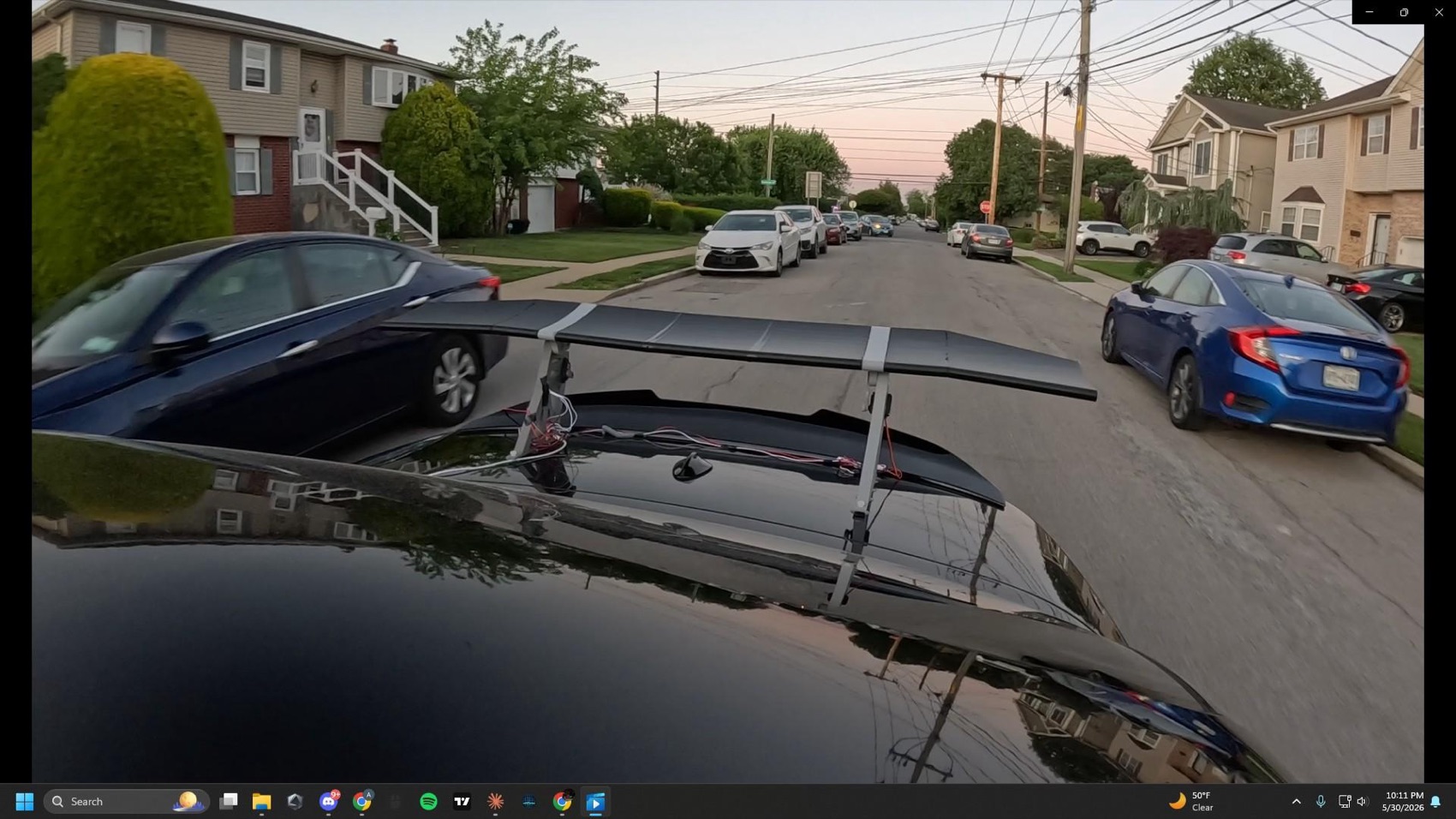
Mine went on the trunk lid of a 2011 BMW E93. Nothing about the design is specific to that car, which was the point.
Mount the two brackets symmetrically about the car's centreline so the aerodynamic load is shared evenly, and put the wing at the rearmost practical point on the lid. The further back it sits, the longer the moment arm to the rear axle and the more of its downforce ends up where you want it.
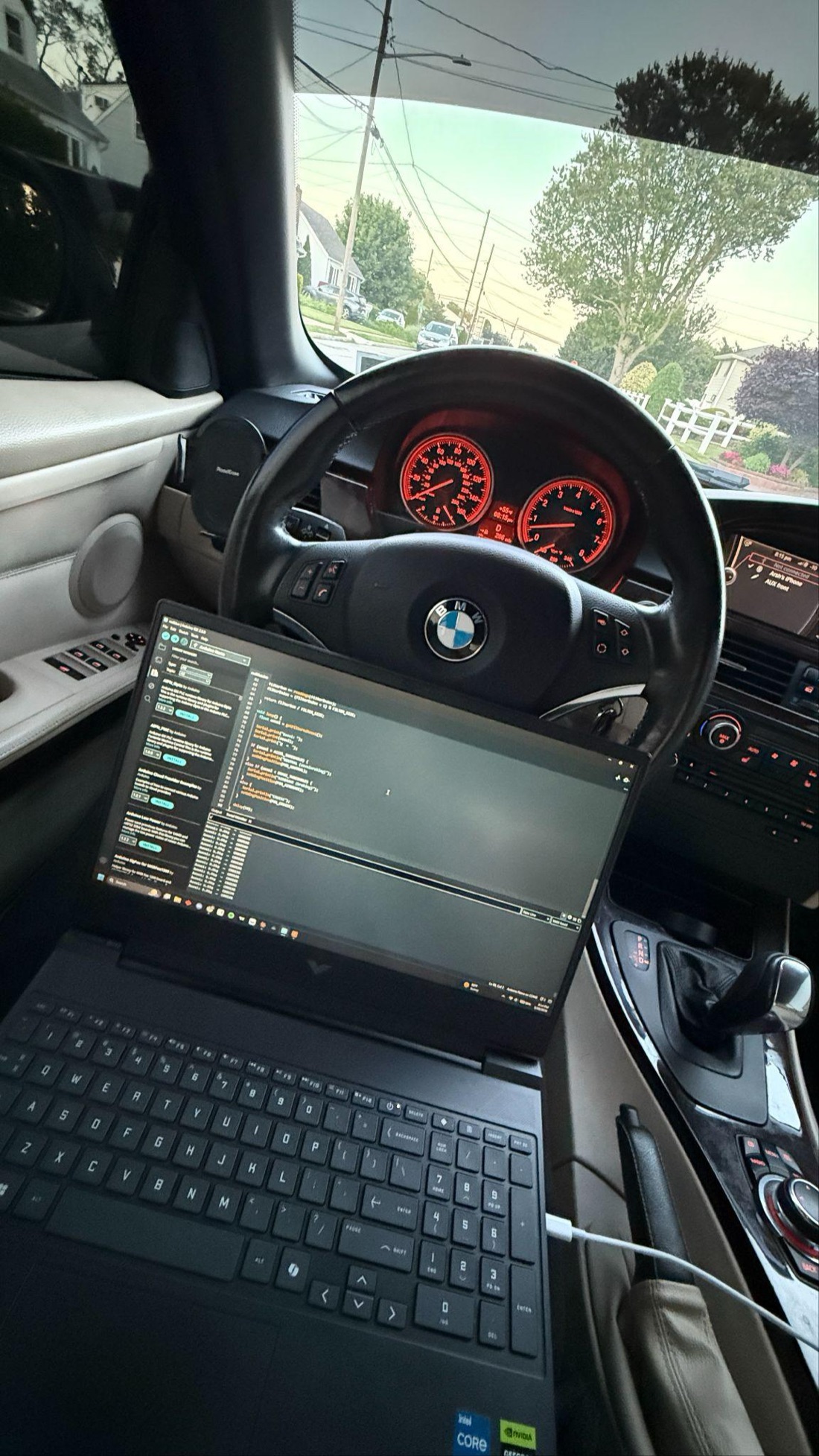
Run a wire from the Nano into the cabin and keep a laptop on the serial monitor in the passenger seat. You are watching two things: the live acceleration reading, and whether the mode changes land where the driving actually changes.
This is how the 0.07 g offset was found and how both thresholds were settled — under real road conditions rather than by guessing on a desk. A camera pointed at the wing is worth setting up too: it gives you a record you can replay against the serial log to check that transitions happened where you thought they did.
The wing should flatten under normal throttle, sit at cruise at steady speed, and deploy under normal braking — all without you having to drive unusually hard to trigger it. It should also sit still at a constant cruise rather than hunting between modes. If it hunts, your thresholds are too close together or your filter window is too short.
What broke, and what to do about it.
One failure, and it is the most useful thing in this guide because you can design it out before you print anything.
The connecting arm between the servo horn and the wing fractured during testing, at one of its thinner sections. The wall thickness there was not enough to carry the bending moment from the horn while the aerodynamic hinge moment was working on the wing at the same time. The system kept running afterwards, but with degraded positional accuracy on that side.
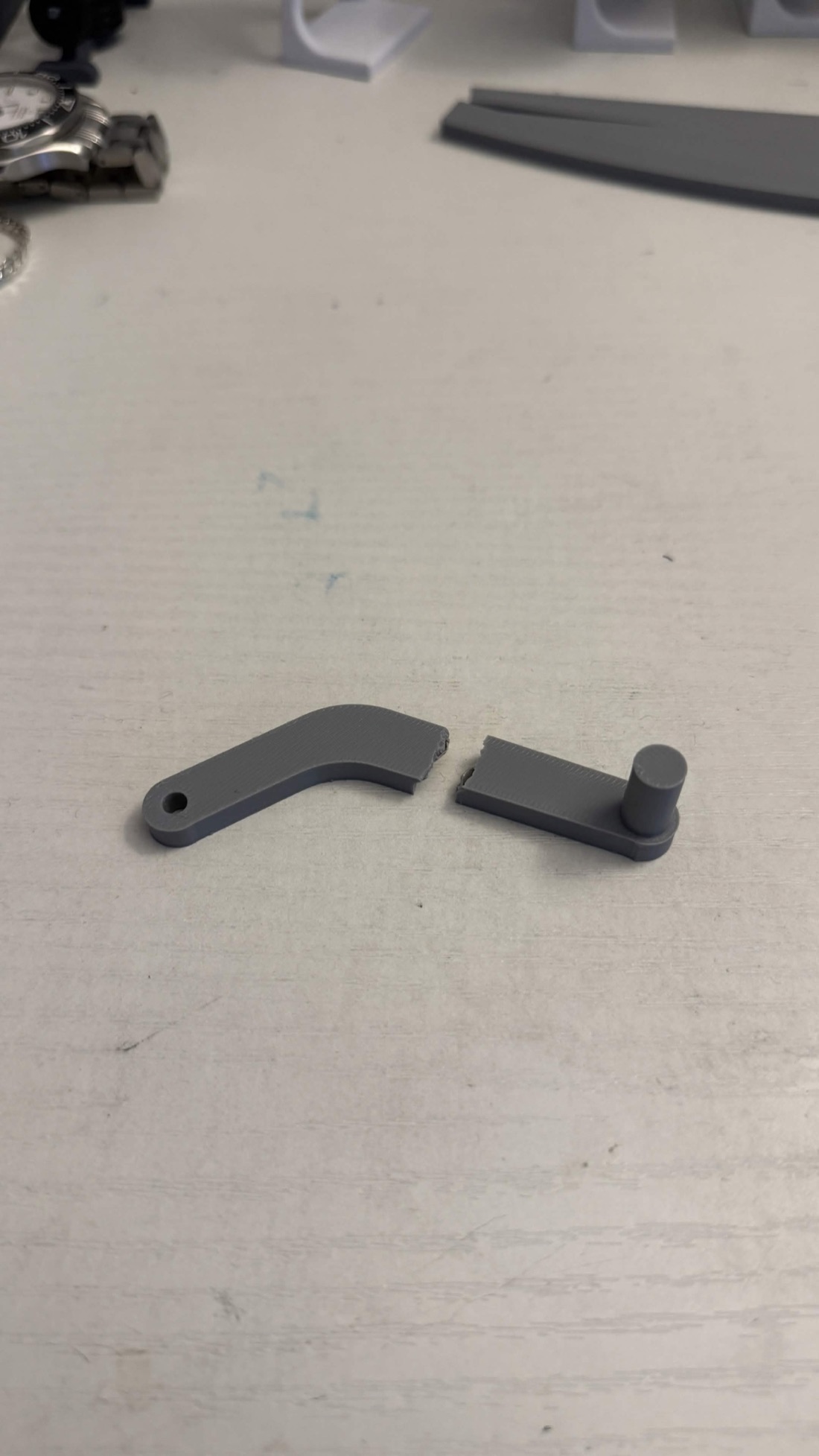
More wall thickness at the narrow point of the connecting arm. A larger fillet radius where it changes section, since a sharp internal corner is a stress concentration and that is where it let go. And CF-PLA for that one part, which buys stiffness for very little mass. This is a part-level mistake with a part-level fix; nothing about the architecture needs to change.
Where you could take it.
The architecture was drawn with more than one axis in mind, which is why the IMU's full six degrees of freedom are read even though the controller uses exactly one of them.
- A lateral axis. The lateral acceleration data is already there. A second servo axis on the hinge would let the wing tilt through a corner to generate a yaw-stabilising moment.
- Telemetry. Moving to an ESP32 buys wireless logging of wing angle, acceleration and mode state to a phone, which turns threshold tuning into something driven by data rather than by feel.
- A proper mount. Fastening to the trunk lid or lip instead of suction cups, which also lets you set the wing at a better height above the surface.
The full detail.
This guide is the practical half. The report behind it carries the design reasoning, the CFD method and results in full, and the references.